
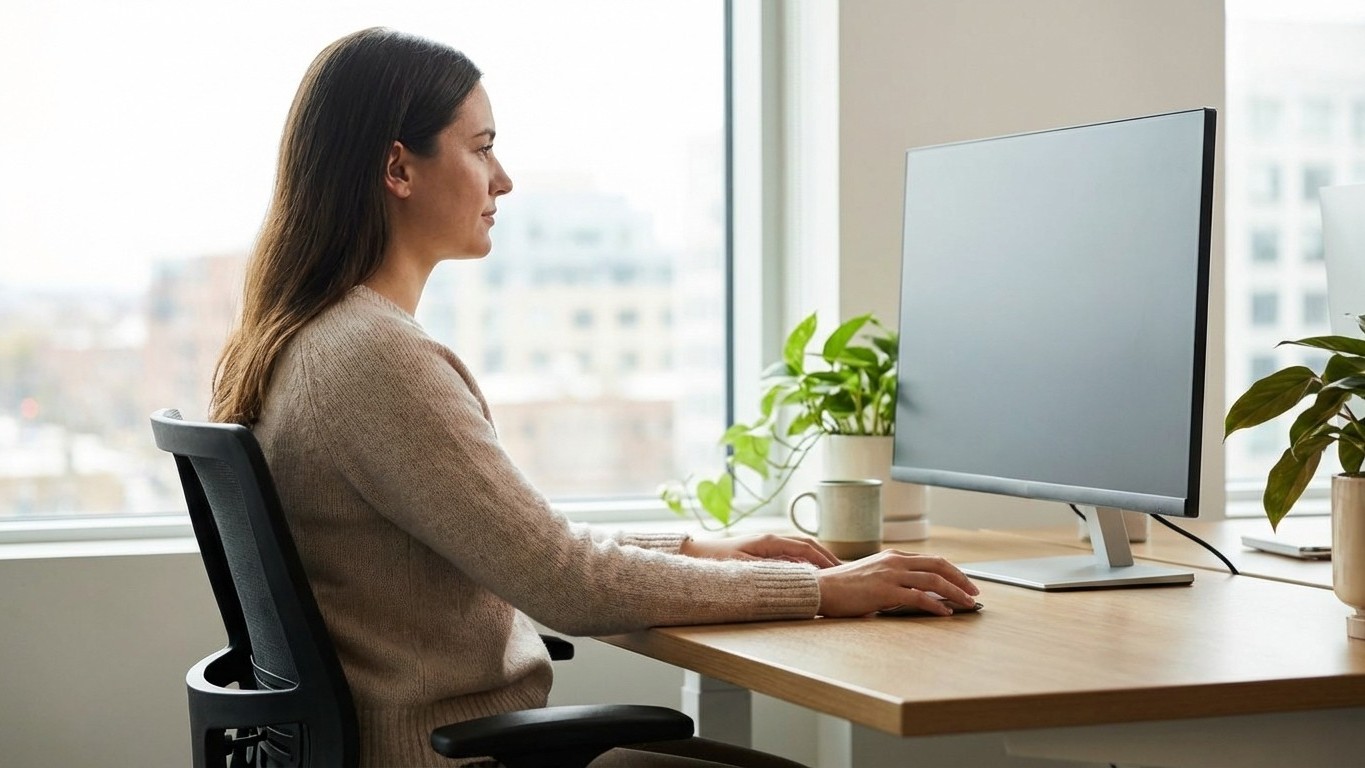
Sitting up straight has been drummed into us since childhood, yet millions of people who dutifully correct their posture at their desks still end up with a stiff neck, aching shoulders, and that persistent dull throb at the base of the skull by mid-afternoon. The uncomfortable truth is that “sit up straight” is incomplete advice, and in some cases it makes things worse. The real fix is less about rigidity and more about where your eyes land when you look at your screen.
Key takeaways
- Sitting up straight is incomplete advice that ignores the real enemy: screen placement
- Your head’s forward tilt can multiply neck strain by up to 5x—but one adjustment fixes it
- The solution is cheaper and faster than any ergonomic product you’ve tried
The Straight-Back Myth Nobody Talks About
Picture someone with perfect military posture: shoulders back, spine erect, chin slightly tucked. Now picture them looking at a laptop sitting flat on their desk. Their eyes drop, their chin follows, and the whole elegant column of their spine becomes irrelevant because their head has tipped forward by 15, 20, sometimes 30 degrees. Research published in Surgical Technology International estimated that for every inch the head moves forward from its neutral position, the effective weight borne by the cervical spine roughly doubles. A head that weighs around 5 kilograms at neutral alignment can place the equivalent of 18 to 27 kilograms of force on the neck when tilted significantly forward. That is the kind of load that muscles were not designed to sustain for seven hours a day.
This means the spine’s position below the neck is almost secondary if the head is perpetually jutting towards the screen. Years of conscientious straight-back sitting offer limited protection against what physiotherapists sometimes call “scholar’s neck”, the forward head posture that comes from a screen placed too low, too far away, or at the wrong angle.
The Fix: Screen Height, Not Spine Shape
The single adjustment that consistently makes the biggest difference is raising your monitor so that the top edge sits at roughly eye level, or just fractionally below. When the screen is at this height, your gaze naturally falls slightly downward (around 10 to 15 degrees below horizontal), which is where the eyes are most comfortable anyway. Your head stays balanced over your shoulders rather than cantilevering forward, and the deep stabilising muscles of the neck can Actually do their job without being stretched under constant load.
Laptop users face a particular challenge here, because the keyboard and screen are fixed together. Using a separate keyboard and mouse, then propping the laptop on a stand or a stack of firm books, is a genuinely effective solution rather than a wellness cliché. It costs very little and the difference in neck tension by the end of the working day can be striking.
Monitor distance matters too. A screen that is too close encourages you to unconsciously lean in, especially as afternoon fatigue sets in and concentration deepens. A general guide is to sit an arm’s length from the screen. If you find yourself squinting or leaning towards text, increasing the font size is far better for your neck than closing the distance.
What Your Chair (and Your Habits) Are Still Getting Wrong
Raising the screen resolves the most common driver of neck pain, but it does not work in isolation. Chair height plays a supporting role that most people miscalculate. The goal is to have your feet flat on the floor, thighs roughly parallel to the ground, and elbows at approximately desk height when relaxed. Too low a chair tips the pelvis backwards, which collapses the lumbar curve and eventually rounds the upper back, nudging the head forward again regardless of screen position.
There is also the question of stillness. The human body was simply not built for extended static postures, even elegant ones. A growing body of occupational health research suggests that frequent, brief movement breaks, something in the region of two to three minutes every 30 to 45 minutes, reduce musculoskeletal Discomfort more effectively than any single ergonomic product. Gentle neck rolls, shoulder shrugs, or even just standing to walk to a different room interrupts the sustained muscle contraction that leads to that familiar end-of-day tightness.
One detail that rarely makes it into ergonomic guides: the position of your mouse. If it sits too far to the right (or left, for left-handed users), you spend hours with one shoulder slightly elevated and rotated outward, a pattern that feeds directly into upper trapezius tension and, from there, into neck pain. Keeping the mouse close, so your elbow stays near your torso rather than reaching, is a small change with disproportionate benefits.
Building a Desk Setup That Holds Up Over Time
Ergonomic adjustments have a way of gradually drifting back to their original state. The monitor gets nudged down. The chair gets lowered for a guest and never raised again. A pile of papers slowly colonises the desk space, pushing the keyboard further away. Building a brief weekly check-in into your routine, perhaps every Monday morning, to verify that screen height and chair position are still correct, takes about 90 seconds and prevents months of accumulated discomfort.
Strengthening the deep neck flexors and the muscles around the shoulder blades also provides a kind of structural buffer against poor posture days, travel, long phone calls, and the other inevitable disruptions to ideal desk ergonomics. A physiotherapist or qualified exercise professional can recommend specific exercises suited to your particular pattern of tension, and for persistent or acute neck pain, a GP assessment is always the right starting point before assuming it is purely postural.
There is something quietly liberating about realising that the solution is not more discipline, not straighter, more effortful sitting, but a monitor stand and a bit of attention to where your eyes rest. The body generally knows how to hold itself upright when it is not fighting against a screen placed in the wrong position. Give it a chance to remember.