
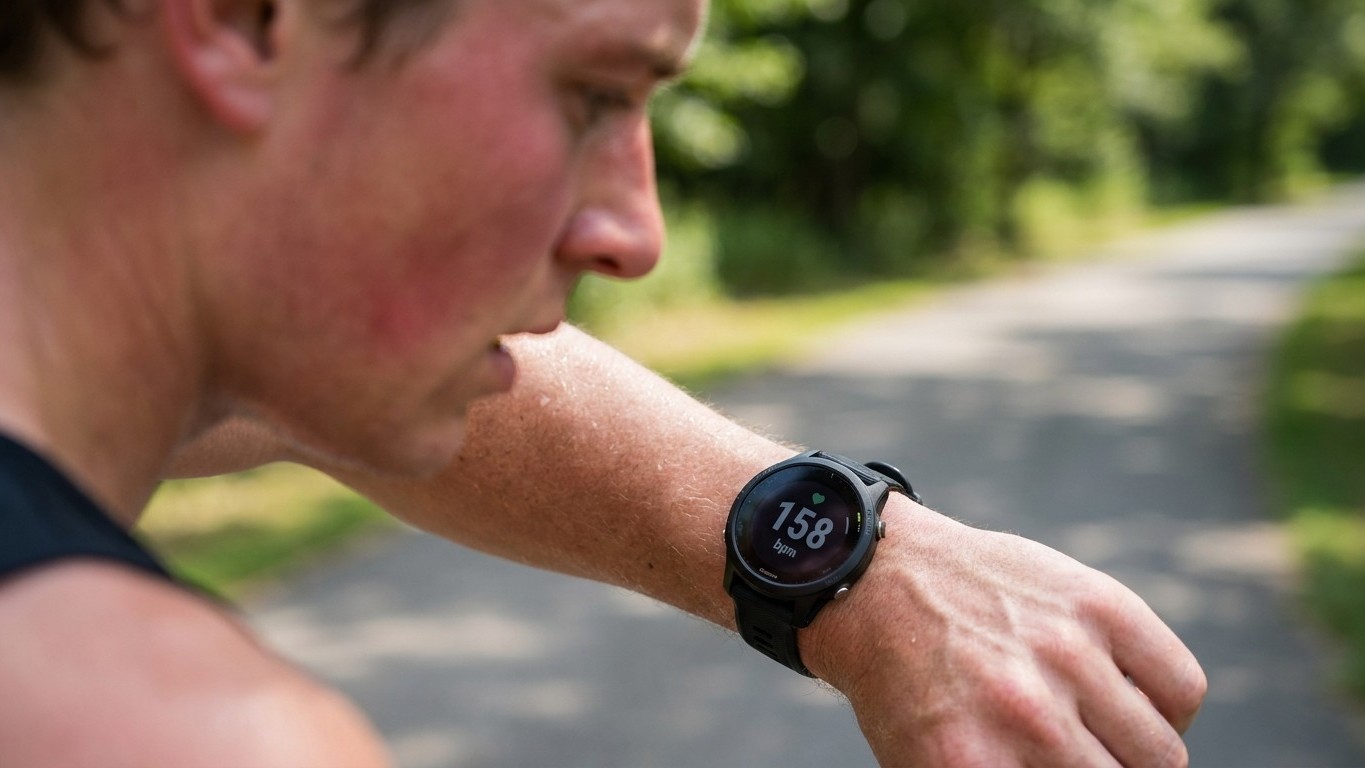
That number frozen at 178, 180, sometimes 182 beats per minute for twenty minutes straight isn’t your heart working overtime. It’s your watch counting your footsteps and calling them heartbeats. The phenomenon has a name, cadence lock, and it’s one of the most common ways wrist-worn fitness trackers deceive runners into thinking they’re either fitter or far more exhausted than they actually are.
Here’s what’s happening under the strap. Optical heart rate sensors use a technology called photoplethysmography, or PPG for short. LEDs project light onto the skin on your wrist, and a photodetector measures how much light is absorbed, because hemoglobin in your blood absorbs light and changes in blood flow with every heartbeat affect that absorption. It’s clever engineering, and it works reasonably well when you’re sat still or walking gently. But running introduces a second rhythmic signal into the mix: the repeated jolt of your wrist swinging and your foot striking the pavement.
Cadence lock occurs when your watch’s optical sensor locks on to your steps per minute instead of your actual heart rate, because the movement in running creates a lot of noise that makes it difficult for the sensor to measure heart rate accurately, particularly if the watch is bouncing around on your wrist. Because most recreational runners settle into a cadence somewhere between 160 and 185 steps per minute, that’s precisely the range where a locked sensor gets stuck, which explains why so many runners report the same eerie plateau around 180.
Key takeaways
- Your watch’s optical sensor can confuse running cadence with actual heart rate, creating phantom readings that stay eerily flat
- Scientists have proven wrist-worn devices become dangerously unreliable during high-impact running compared to chest straps
- A simple on-screen check reveals if cadence lock is hijacking your data—and three tweaks can reduce (but not eliminate) the problem
The evidence behind the glitch
This isn’t anecdotal grumbling from forum threads, although there’s plenty of that too. One frustrated Garmin user described watching the number stay stuck at 180 even while walking to bring it down, and admitted sometimes not knowing whether it was cadence lock or genuinely that high. Peer-reviewed research backs up what runners have been noticing for years.
A 2026 study comparing sensor placement found that heart rate measurements were most accurate at rest and during steady-state activity but decreased during rapid, high-impact movements due to motion artefacts and sensor-skin instability. The same research team found lower agreement for wrist-worn devices compared with sensors placed on the upper arm or forearm, with wrist correlation coefficients falling to 0.85 or below while upper arm placements reached 0.99. In plain terms, the further the sensor sits from a stable, muscular part of your arm, the more it gets confused by movement.
A separate device validation study published in JMIR Cardio reached a similar conclusion, noting that high accuracy was observed in moderate to vigorous activities like jogging, whereas activities with lower heart rate and increased motion artefacts exhibited poorer accuracy. Interestingly, that same team found the opposite problem can also occur: proximal wearing positions such as the upper arm may provide more stable readings during high-motion activities than distal placements such as the forearm or wrist, where movement artefacts are more pronounced. So the wrist is the worst possible spot for a sensor during a run, precisely where most of us wear our watches.
A broader review of commercial devices found the errors get worse as effort increases. Researchers noted that devices demonstrated high sensitivity to motion artefacts and failed to accurately track heart rate when athletes reached levels of maximum effort, and that all wrist and forearm devices had a tendency to estimate heart rate with greater error during exercise involving more arm movement. That’s the cruel irony of cadence lock: it tends to strike hardest exactly when you most want reliable data, during hard intervals or a race effort, rather than on an easy jog.
Spotting it before it wrecks your training zones
The simplest diagnostic trick costs nothing. If your watch supports it, put your running cadence and Your Heart Rate on the same data screen. If you check your heart rate and see it closely tracking your cadence, you’ll know you’re experiencing cadence lock, and you should disregard what your watch says. A heart rate that rises and falls in perfect lockstep with your steps per minute, rather than lagging behind effort the way a real cardiovascular response does, is the giveaway.
The consequences aren’t trivial if you’re training by heart rate zones. A misreading in either direction distorts the whole session: underreporting by 10 beats per minute can push you to run easy sessions too hard, while overreporting by 20 through cadence lock can trick you into backing off mid-interval thinking you’re maxed out when you actually have more left. Months of training built on phantom numbers can leave you either under-stimulated or quietly overtrained, without ever realising the data was fiction.
What actually fixes it
Manufacturers themselves acknowledge the issue and offer sensible workarounds. Garmin and Coros both recommend tightening the fit, since wearing the watch more snugly, but not excessively tight, minimises unnecessary movement, and a nylon band can provide a more secure fit that helps stabilise the watch during exercise. Keeping the sensor window free of sweat, sunscreen and grime matters too, as a clean sensor is more likely to provide accurate heart rate readings by reducing potential interference. Some runners also find shifting the watch a few centimetres up the forearm, away from the bony wrist joint, gives the sensor a steadier patch of skin to read.
None of these tweaks make optical sensors flawless, though. If you genuinely train by heart rate zones for structured sessions, a chest strap using ECG-style electrodes remains the gold standard, and it’s a modest outlay compared with the training time wasted chasing false numbers. Everyone else can simply treat that suspiciously flat 180 with healthy scepticism: glance at your cadence, catch your breath, and trust how you actually feel over what the display insists. As with any health or fitness concern that worries you, particularly an unusually high or irregular heart rate that persists even when resting, it’s always worth mentioning to your GP rather than assuming it’s just a gadget glitch.
Sources : cardio.jmir.org | pmc.ncbi.nlm.nih.gov